Prompt Annotations

When vibe coding, your prompts are artifacts too.
About the plugin
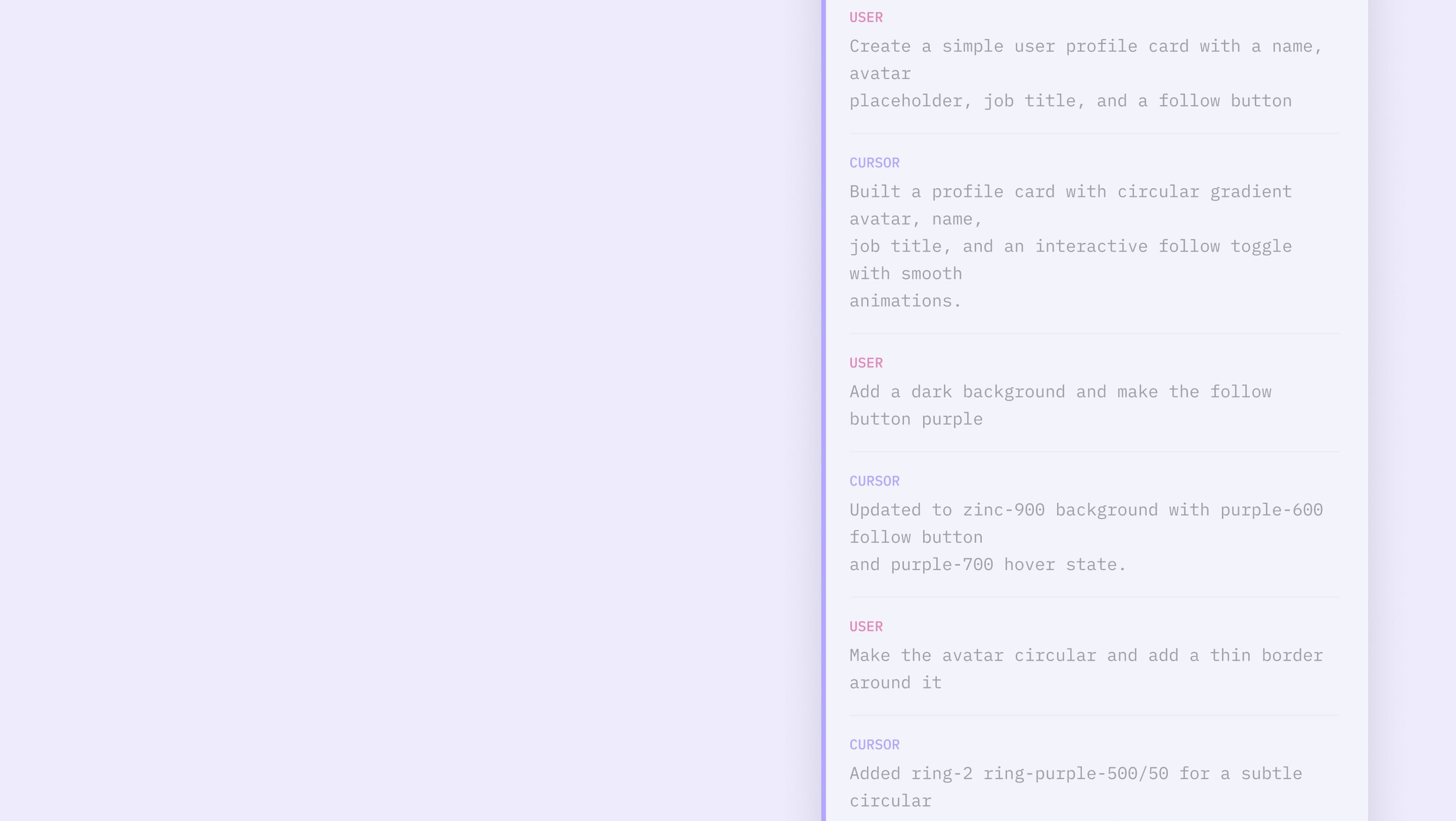
Prompt Annotations is a Figma plugin that captures your vibe coding chat transcript and places a structured annotation frame next to your design in the file. It keeps the prompts, AI summary, and full back and forth with your design so your whole team has the context behind the work.
The Problem
Every time you finish a vibe coding session and move the work into Figma, the same thing happens. The design makes it. The reasoning doesn't.
The prompts that shaped the UI, the constraints you gave the AI, the decisions made along the way. Gone when the tab closes. What lands on the canvas is an artifact without a memory. Nobody else on the team knows what was asked, what was tried, or what got left out.
How it works
Finish your session in Cursor, V0, Bolt, Lovable, or Claude.ai
Paste or upload your transcript into the plugin
A structured annotation frame appears next to your design — summary, transcript, timestamp, and source tool included
An API key for Claude or ChatGPT enables an AI-generated summary of what was built. The plugin works without one.
Supported tools
Cursor · V0 · Bolt · Lovable · Claude.ai · Terminal
The flow
Who it's for
Designers who want their team to understand the work, not just see it. Engineers who need context during handoff, not just a spec. Product managers who want to know what was actually asked of the AI.
The annotation lives in the Figma file — where your whole team already works.